Guides
Cable labeling for server rooms: a practical TIA-606 guide
What the TIA-606 administration standard expects from labels and identifiers, explained in plain language, with a labeling scheme you can apply to a server room without rebuilding your documentation.
Labels are the part of server room documentation that people actually see. A good label tells a technician what they are holding and where the other end goes, without opening a laptop. A bad one, handwritten, ambiguous or out of date, is worse than none, because it is trusted.
In North America and in many projects elsewhere, the reference for labeling telecommunications infrastructure is the ANSI/TIA-606 administration standard. This guide explains its main ideas in plain language and shows how to apply them in a server room or a small data center. It is a summary, not a substitute for the standard itself: if you need formal compliance, for example in a tender, buy the current edition from TIA or an authorized reseller and follow its exact wording.
What TIA-606 is and which edition is current
ANSI/TIA-606 is the Administration Standard for Telecommunications Infrastructure. It covers how to identify, label and record the components of a cabling system: spaces, pathways, racks, cabinets, patch panels, ports, cables, and bonding and grounding.
The editions you are likely to meet are:
- TIA-606-A (2002), which many older installations and specifications still reference;
- TIA-606-B (2012), which harmonized its identifier formats with the international technical report ISO/IEC TR 14763-2-1 and covers data center identifiers based on floor grid coordinates;
- TIA-606-C (2017), which renamed bonding and grounding identifiers to match TIA-607-C and added informative guidance on remote powering;
- TIA-606-D, approved in October 2021, the current edition at the time of writing. It moved the remote powering material into the normative part of the standard.
For day-to-day labeling, the core ideas have been stable since the B edition. If your existing documentation follows 606-B or 606-C, it is not obsolete; the most visible differences are the bonding and grounding names, covered below.
Four classes of administration
TIA-606 scales its requirements with the size of the installation through four classes of administration. Class 1 is the least demanding and class 4 the most:
- Class 1: a single equipment room that serves the premises, typical of a small office or a single server room.
- Class 2: a single building or tenant with several telecommunications spaces.
- Class 3: a campus with several buildings and the cabling between them.
- Class 4: several campuses or sites.
The class decides how much of the identifier you need. In a class 1 room, “rack A03” is unique on its own. On a campus, the same rack name needs the building and the space as a prefix to stay unique. Choose the class that matches where your installation is heading, not only where it is today; extending identifiers later means relabeling.
Identifiers, labels and records
TIA-606 separates three things that are often mixed up:
- An identifier is the unique name of a component, for example a patch panel port.
- A label is the physical carrier of that identifier, attached to the component.
- A record holds everything else about the component: what it connects to, its type, its test results, its history.
The label does not need to carry the whole record, and it does not even need to carry the full identifier. It needs enough to be unambiguous where it is read. A patch panel port label inside rack AD02 does not need to repeat the building and floor. What matters is that every label matches a record, and the records are kept current.
The identifier scheme for racks, panels and ports
The data center identifiers used since TIA-606-B are built from the location of the component. A widely quoted example from industry coverage of the standard is 1A.AD02-40:02, which reads as follows:
1A: the telecommunications space, here floor 1, room A;AD02: the rack or cabinet, named after its floor grid coordinates, with letters for one axis and digits for the other;-40: the patch panel, named after its position in the rack, given as the rack unit where the panel’s top sits, counted from the bottom of the usable space;:02: the port on that panel.
A cable or link between two panels is then identified by its two ends separated by a slash, for example AG09-35:01/AJ06-35:01. The standard describes the exact delimiters and optional parts; the industry summaries listed under Sources show more examples.
Two practical consequences follow. First, the identifier of a rack depends on a floor grid, so define the grid before you name racks: in a raised floor room it usually follows the floor tiles, elsewhere you can draw one on the floor plan. Second, a patch panel’s name depends on its rack unit position, so moving a panel changes its identifier and requires relabeling. That is intentional: the label then always tells you where the panel is.
What makes a label acceptable
Coverage of the standard by cabling publications and label manufacturers agrees on a few basic rules:
- Machine-printed, not handwritten. Labels should be printed or produced with a mechanical device, so they are legible and consistent.
- Durable. The label and its adhesive must survive the environment for the life of the component: heat at the rear of a rack, handling, cleaning.
- Both ends of every cable. A cable labeled at one end only is a cable you will trace by hand.
- Every termination point. Patch panel ports, outlets and connecting hardware carry identifiers, usually on the panel or faceplate rather than on each connector.
- Matched to records. A label that does not correspond to a record is a sign that the documentation process was bypassed.
Racks and cabinets should be labeled where they can be read from the aisles you work in; many sites label both the front and the rear. Patch panels usually carry a panel identifier plus a strip with port numbers.
Choosing label types
The right label depends on where it goes:
- Self-laminating wrap labels for round cables: the printed area wraps around the cable and a clear tail covers it, protecting the text from abrasion.
- Flag labels for dense bundles and thin fiber cords, where a wrap would be hard to read; the flag stands out from the cable and can be read from the side.
- Panel and port strips for patch panels, sized to the port pitch so each identifier sits above its port.
- Larger rack labels that can be read from the end of the aisle.
Keep the printed text short enough to be read at a glance: the identifier first, then, if there is room, the far end. A QR code or barcode next to the text is a useful addition, because a phone can open the full record, but keep the human-readable identifier on the label as well.
Color coding: helpful, not mandatory
TIA-606 includes a color scheme for identifying termination fields by function, with specific Pantone references. Examples often quoted are orange for the demarcation point, green for network connections, purple for common equipment, blue for horizontal cabling terminations, white and gray for first-level and second-level backbone, brown for interbuilding backbone and yellow for auxiliary and miscellaneous circuits.
Color is optional, and the scheme is defined for types of termination, not as a rule for cable jacket colors. Many server rooms use their own convention instead, for example jacket colors per network or service. Whatever you choose, write it down once and record the color of each cable as an attribute, so the meaning is not only in someone’s head.
Bonding and grounding names changed in 606-C
If your drawings use older terms, map them to the names used since TIA-606-C, which follow TIA-607-C: TMGB became the primary bonding busbar (PBB), TGB the secondary bonding busbar (SBB), RGB the rack bonding busbar (RBB), BCT the telecommunications bonding conductor (TBC), and GE the backbone bonding conductor (BBC). Bonding conductors and busbars are labeled and recorded like any other component.
Common labeling mistakes
- Labeling with the purpose instead of the location. A label that says “web01” is wrong the day the server is replaced. Location-based identifiers stay true; the record says what is connected.
- Reusing identifiers. A removed cable’s identifier should not be given to a new cable, or old notes and tickets will point to the wrong one.
- Labels hidden by cable management. Place labels where they can be read with the cable in its final position.
- Labels without records. A perfectly labeled room with no records still requires tracing by hand.
- Relabeling later, never. After a move, update the record first, print a new label from it, and remove the old one.
Rolling out a scheme in an existing room
- Choose the class of administration and write a one-page labeling convention: identifier formats, delimiters, label types and colors.
- Define the floor grid and name the racks from it.
- Record panels by rack unit position and define their ports.
- Import or enter the existing cables, then print labels rack by rack from the records.
- Walk each rack while applying labels; whatever does not match the records is corrected on the spot.
The walk is the most valuable step. Labeling forces you to look at every port, and that is when the documentation becomes trustworthy. For the records behind the labels, see how to document patch panels and cable runs.
Where RackStitch fits
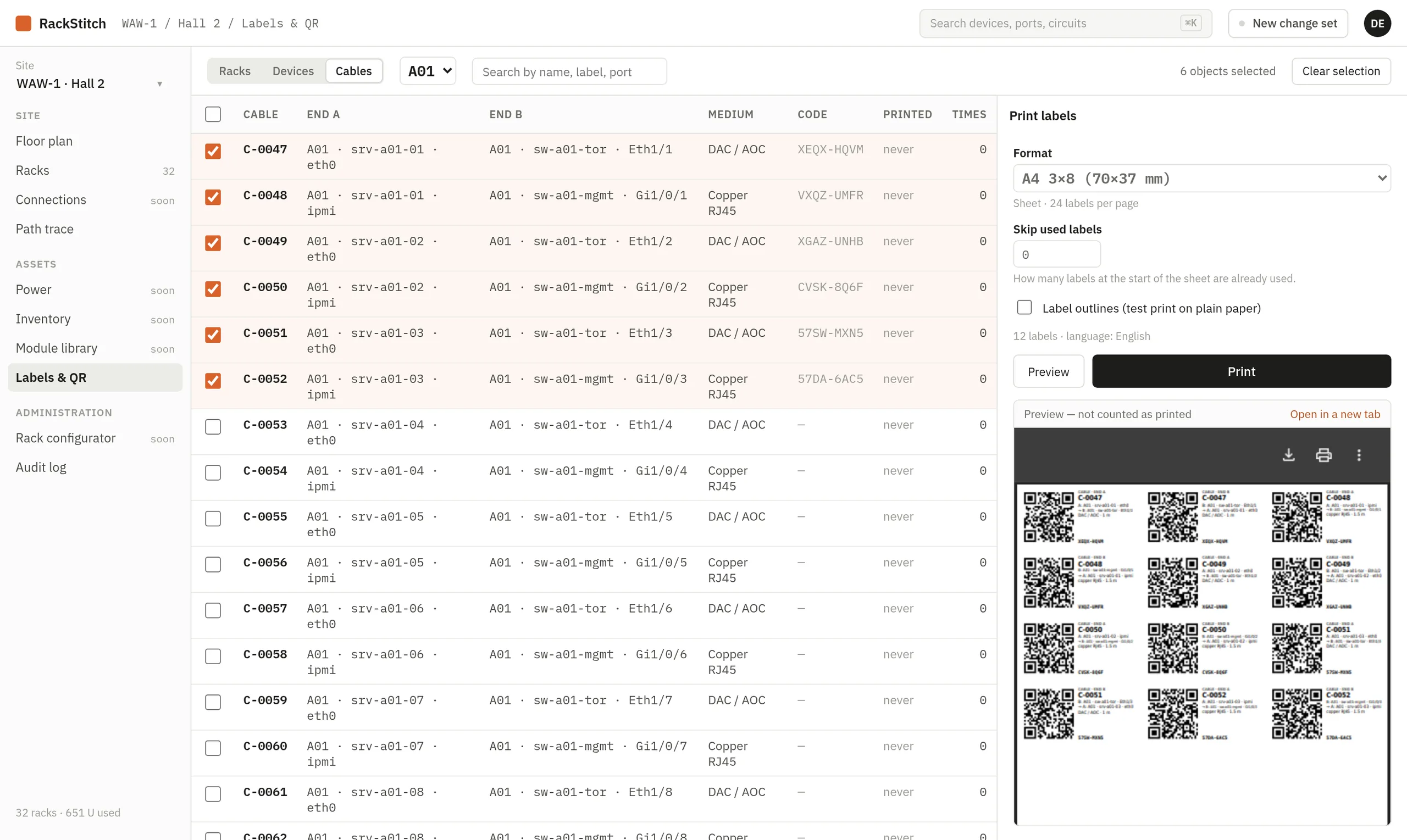
RackStitch, the server room documentation tool we build at Kynologic, prints labels for racks, devices and both ends of every cable from the documented records, as PDF on A4 sheets, 12 mm and 24 mm tape or thermal printer labels. Each label carries a QR code, a short human-readable code and a short description; scanning it opens the current record after signing in. Rack and device names are yours to choose, so they can follow a TIA-606 style scheme. See the QR labels page for details.
Sources
- TIA Fiber Optics Technology Consortium, ANSI/TIA-606-D: Administration Standard for Telecommunications Infrastructure.
- Cabling Installation & Maintenance, ANSI/TIA-606-B standard approved for publication (identifier examples).
- Patrick McLaughlin, Cabling Installation & Maintenance, TIA-606-C standard requirements for cable-plant administration.
- Brady, TIA-606-C: cable labeling standards, what’s new?
- Silver Fox, Data center cable labeling: patch panels, structured cabling and TIA-606-D.