Power chain · PDU · UPS
Server room power documentation, from the switchboard to the PSU
Record how power reaches every device: feeds, UPS units, generators, switchboards, circuits, rack PDUs and outlets. Then ask the questions that matter, such as what goes dark if feed A or a single circuit fails.
Why document the power chain
Most server room incidents that start with power are not caused by a lack of capacity but by a lack of knowledge: a dual-corded server with both PSUs on the same feed, a circuit that carries more racks than anyone remembers, a UPS that was sized before the last two rows were added. These problems are invisible until something fails.
RackStitch keeps the whole chain in one model, from the utility feed down to each power supply in each device, so the answers are a click away instead of a site walk.
The full chain in one model
- Feeds: as many as you have, typically A and B.
- Sources: utility connection, generators with power, fuel and runtime, automatic transfer switches and UPS units with power, battery runtime and redundancy (N, N+1, 2N).
- Switchboards and circuits: breaker rating, phase and current for each circuit.
- Rack PDUs with their outlets, and the device PSUs plugged into them.
The power chain is shown as a diagram. Values you are not sure about can be marked “to verify”, and the application shows them as such, so a partly documented room is still useful and honest about its gaps.
Rack PDUs and A/B feeds in the rack
In the rear view of every rack elevation, PDUs are drawn in the color of their feed, with a line from each outlet to the power supply it feeds. Connecting a PSU to an outlet goes through a change set and checks feed redundancy: a device with two PSUs on the same feed is reported. The rack inspector has a power tab with the rack's load per feed and what happens to it if one feed is lost.
What-if scenarios
Select a scenario and RackStitch works out the consequences from your documentation:
- feed A or B fails;
- a UPS fails;
- the utility supply is lost;
- a single circuit is switched off.
The result shows which racks and devices lose power, which load moves to the other feed, which circuits or PDUs would then be overloaded, and how long batteries and generators would last. Affected racks are highlighted on the floor plan.
Capacity and headroom
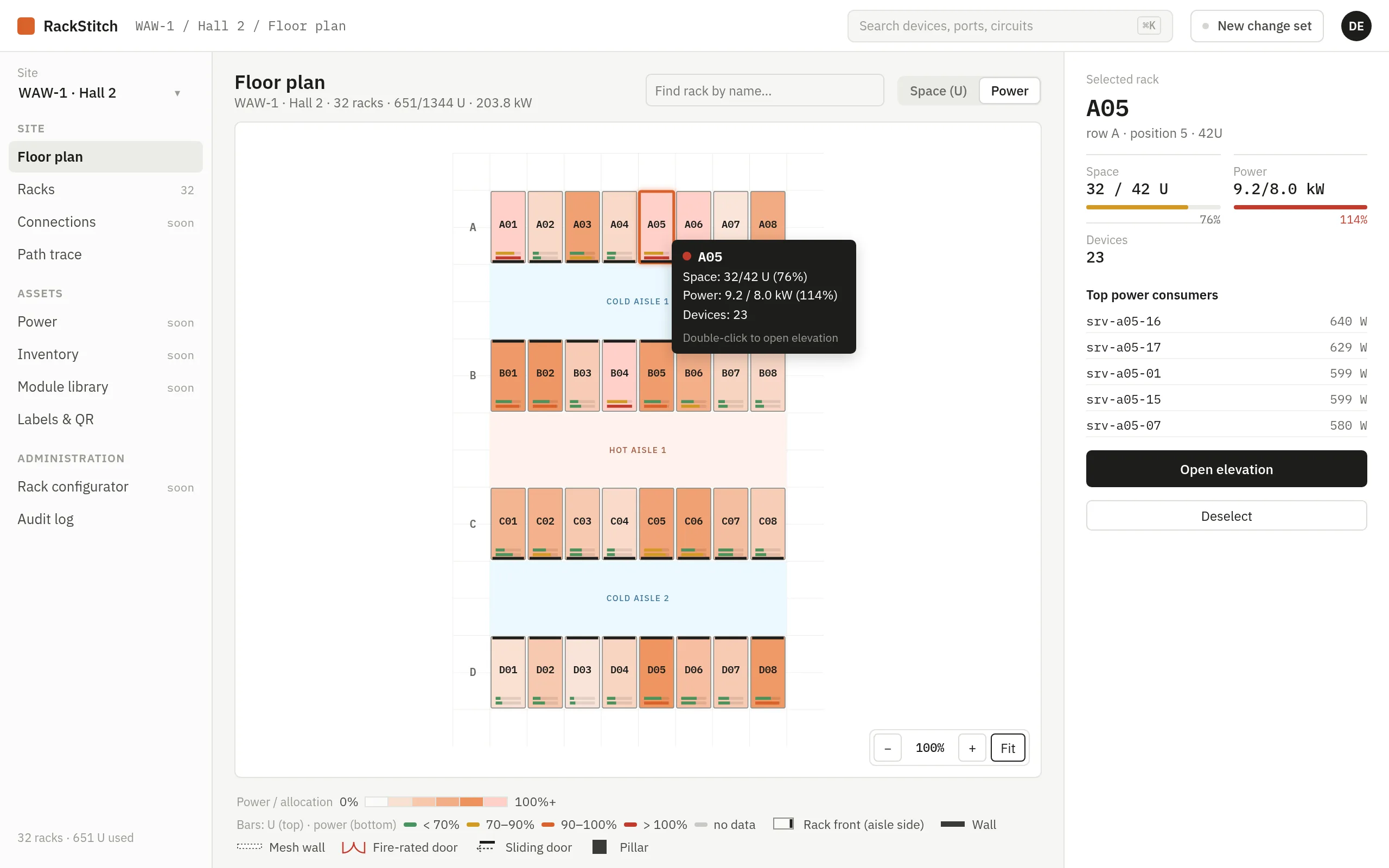
The power overview compares each rack's draw on each feed with its allocated power, with warning thresholds. Switchboards show load on phases L1 to L3 and remaining headroom. A facility capacity check answers whether the UPS units and generators can carry IT load, cooling and other loads together, including an N-1 reserve. On the floor plan, racks can be colored by power, and selecting one lists its top consumers.
Cooling next to power
The same model covers cooling: cooling units with capacity, power draw or EER and the circuit that feeds them, grouped for redundancy (N, N+1, 2N). RackStitch shows the heat balance of each room and box against cooling capacity, the reserve after the largest unit fails, PUE for a site, and a unit failure scenario that marks the boxes and racks at risk.
Documentation, not live metering
To be clear about what this is: RackStitch works with documented values, such as nameplate draw, allocated power and rated capacity. It does not read live data from PDUs or sensors today; live readings are on the roadmap. For capacity planning, change reviews and audits, documented values are what you need. See pricing: power and cooling are included in every plan.
Demo
See your own server room in RackStitch
Write to us and we will answer your questions and help you get started. Prefer to look on your own? The live demo is open to everyone.
Sample data, restored every 24 hours. See pricing