Server room documentation · DCIM

Your server room, stitched together.

RackStitch keeps every rack unit, every port and every patch cord — and the power behind them — in one living map. Trace a cable in seconds, plan changes before anyone opens a rack door, and find it all again with a QR scan.

The live demo is open to everyone. Its sample data is restored every 24 hours, so feel free to click around.

  • Early access
  • Pricing on request
  • Hosted in the EU

RackStitch is built and operated by Kynologic Sp. z o.o., a software company based in Poland.

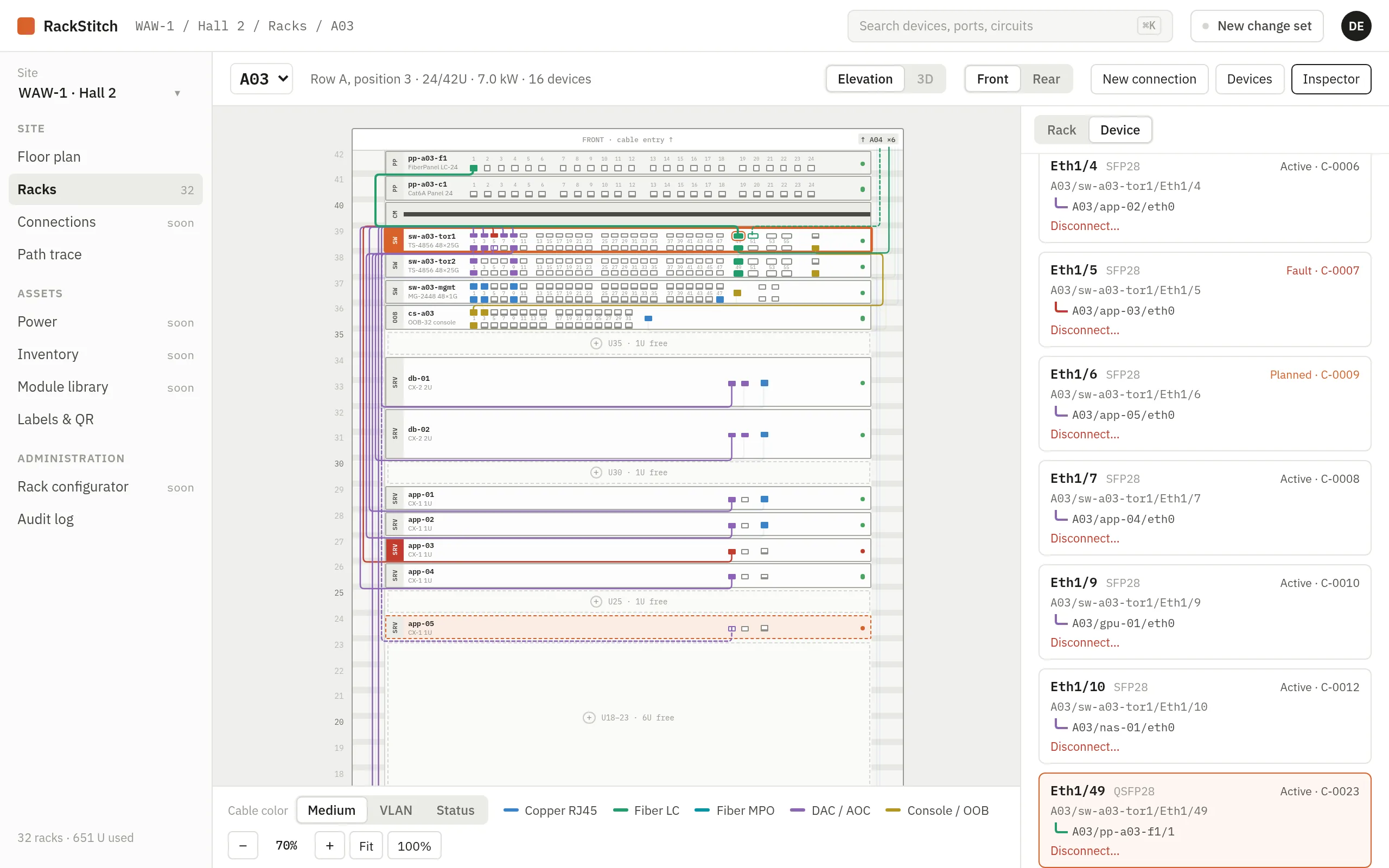
RackStitch rack elevation of rack A03: devices with every port, patch cords routed through the side channels, and the inspector listing the selected switch’s ports
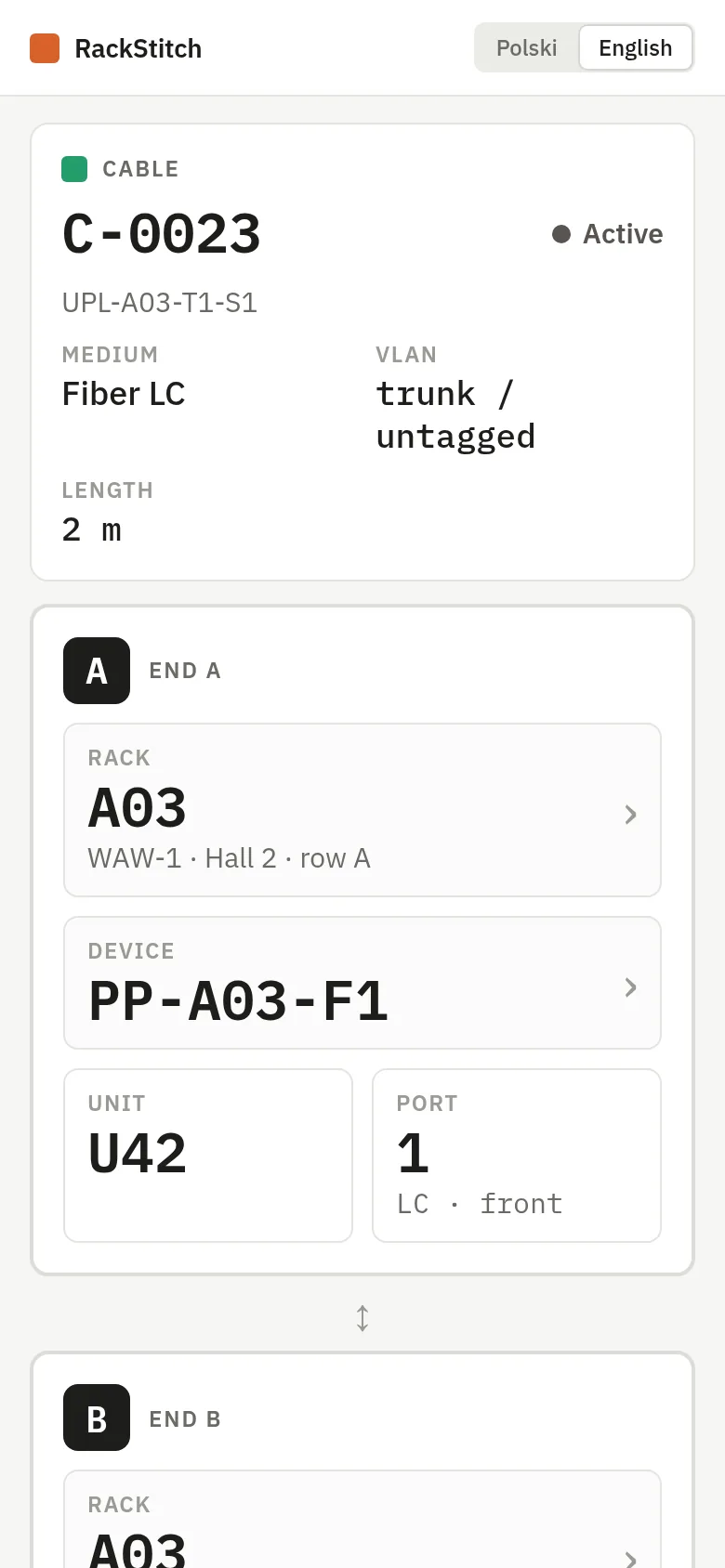
Phone view after scanning a cable label: cable C-0023, fiber LC, with end A in rack A03 on patch panel port 1

01 · Port level

Down to the last port

Not just “server in U14”: every RJ45, SFP and MPO port, front and rear, and the cord plugged into it.

02 · End to end

Follow any cable

From a server NIC through two patch panels and a trunk to the spine switch — in one click.

03 · Safe changes

Plan first, apply later

New devices and cables wait in a change set until someone reviews and applies them.

04 · On the floor

Labels that answer back

Scan the QR on a rack, a device or either end of a cable and see exactly what it is.

What you get

Built for the people who actually walk the aisles

RackStitch is made for IT managers, data center technicians and the service companies that look after other people’s server rooms. It replaces the spreadsheet that is always one change behind.

Rack elevation

See every port and every patch cord — the way the rack really looks

Each rack is drawn to scale: devices in their units, ports in their real positions, cords routed through the cable channels. Click a device and its cables light up; click a port and you see where it goes.

  • Front and rear views — data ports in front, PSUs and the A/B PDUs at the back
  • Color cables by medium, VLAN or status; faults and planned work stand out
  • Drag a model from the library onto a free unit — collisions are blocked
  • Any rack height, from wall cabinets to 48U
RackStitch rack elevation of rack A03: devices with every port, patch cords routed through the side channels, and the inspector listing the selected switch’s ports

Device details

Open any device and read it like the real thing

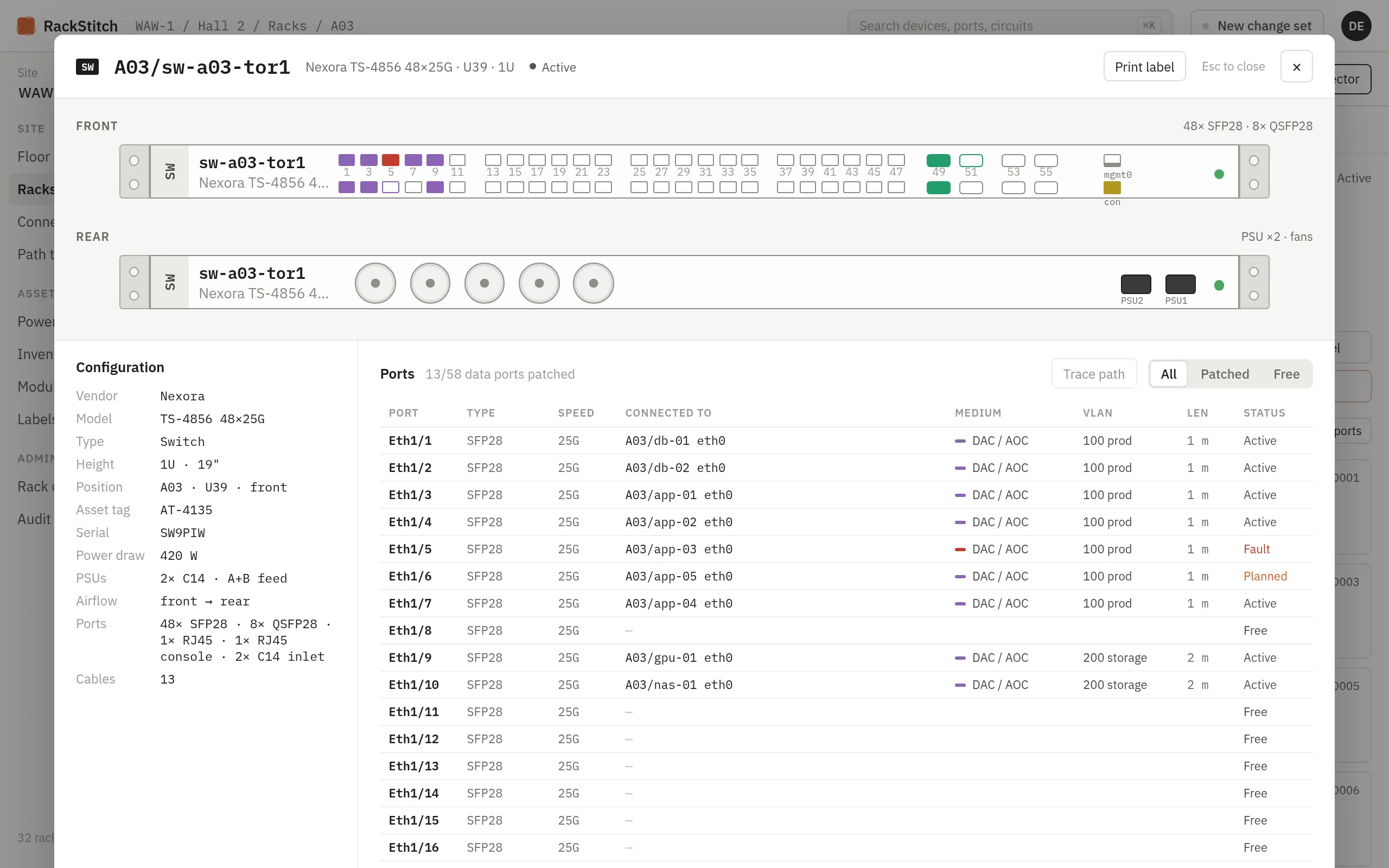
Double-click a device to get its front and rear panels at full size, with 19-inch rack ears, PSUs and fans. Next to it: the configuration and a port table showing what every port is connected to.

  • Vendor, model, asset tag, serial number, power draw and airflow
  • Port table with speed, far end, medium, VLAN, length and status
  • Filter to patched or free ports when you need a spare one
  • Print a label for the device straight from here
Device details window for switch sw-a03-tor1: front and rear panels at full size, configuration and a table of connected ports

Floor plan

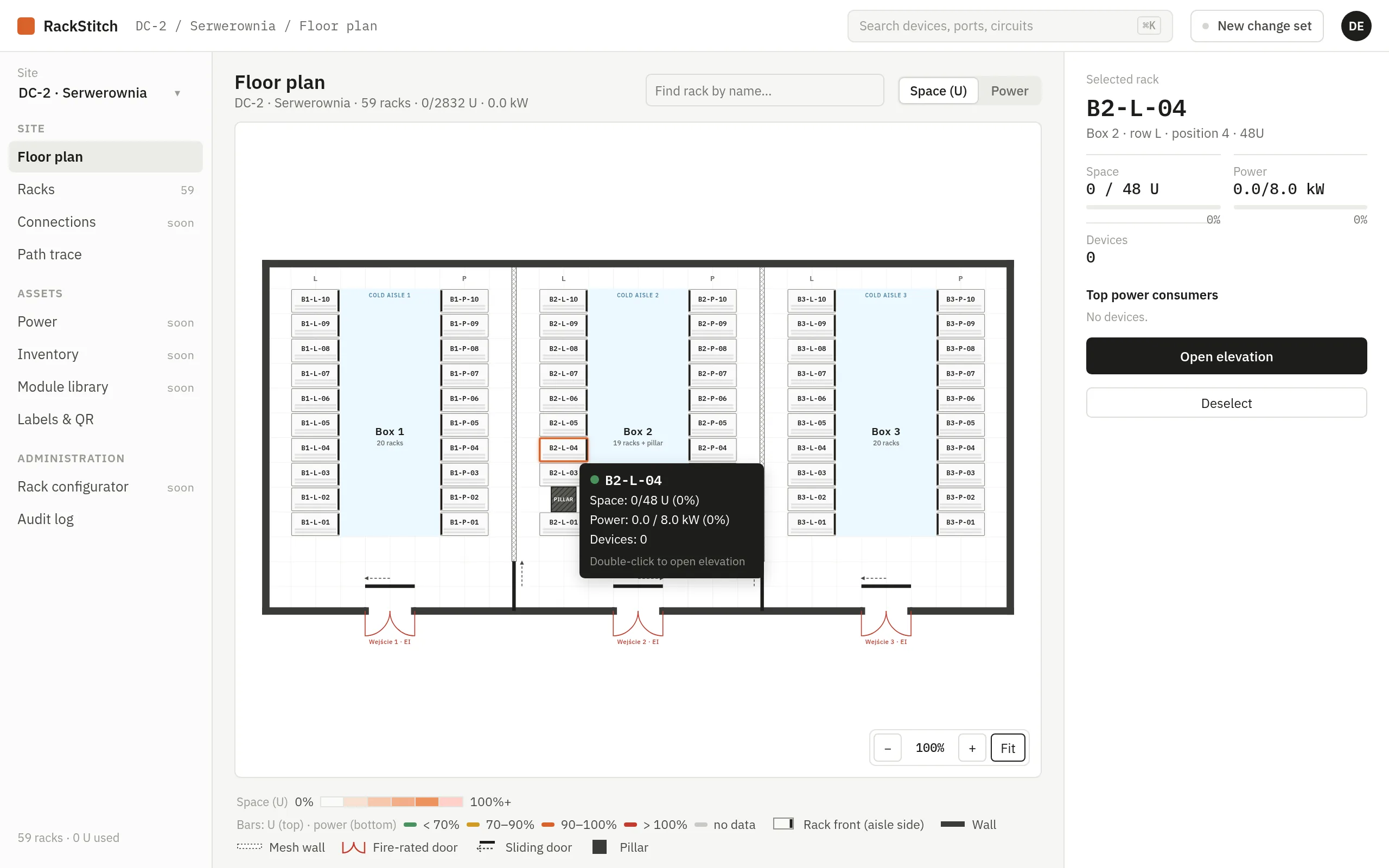
The whole room at a glance — boxes, walls, doors and that one pillar

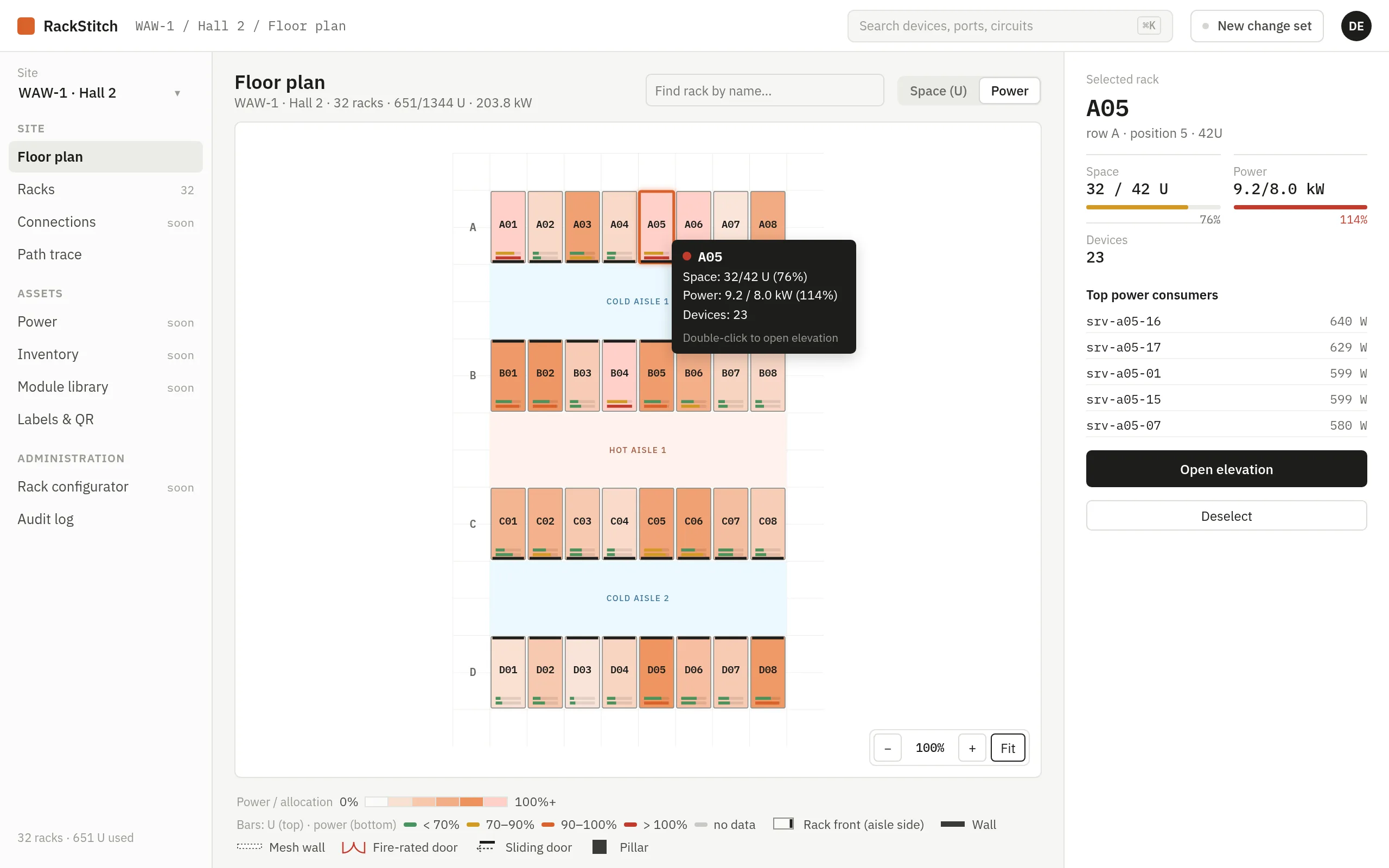
Map the room as it really is: rows facing each other across a cold aisle, enclosed boxes, mesh walls, sliding doors, entrances and obstacles. Every rack shows how full it is and how much power it draws against its allocation.

  • Color the plan by space or by power; overloaded racks are easy to spot
  • Rack names exactly as on your stickers, independent of position
  • Top power consumers of the selected rack, one click to its elevation
  • Shows a traced cable path across racks on the plan
Floor plan of a server room with three enclosed boxes, mesh walls, sliding doors, entrances and a pillar in place of one rack
Floor plan colored by power, with rack A05 selected and its top power consumers listed

Path trace

Trace a cable through every patch panel, hop by hop

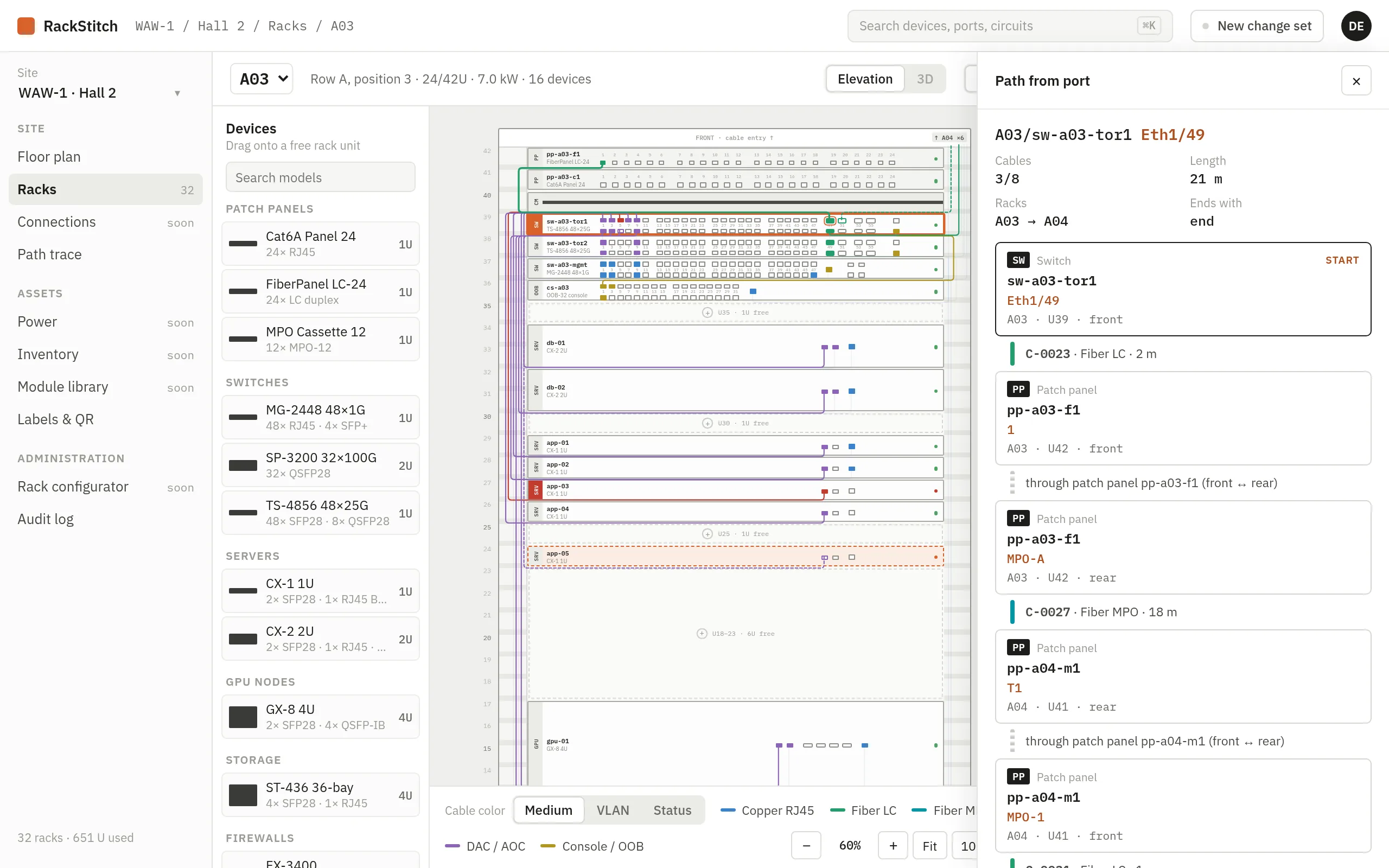
Pick any port and RackStitch follows the cable to the far end — through the front and rear of each patch panel, across trunks and between racks. No more pulling a cord “to see where it goes” during a maintenance window.

  • Explicit front-to-rear patch panel mapping, not guesswork
  • Total length, number of cables and racks along the way
  • Loops, dead ends and ambiguous branches are flagged, not hidden
  • Open any hop in its rack with one click
Path trace panel following a cable from a switch port through two patch panels to the spine switch in the next rack
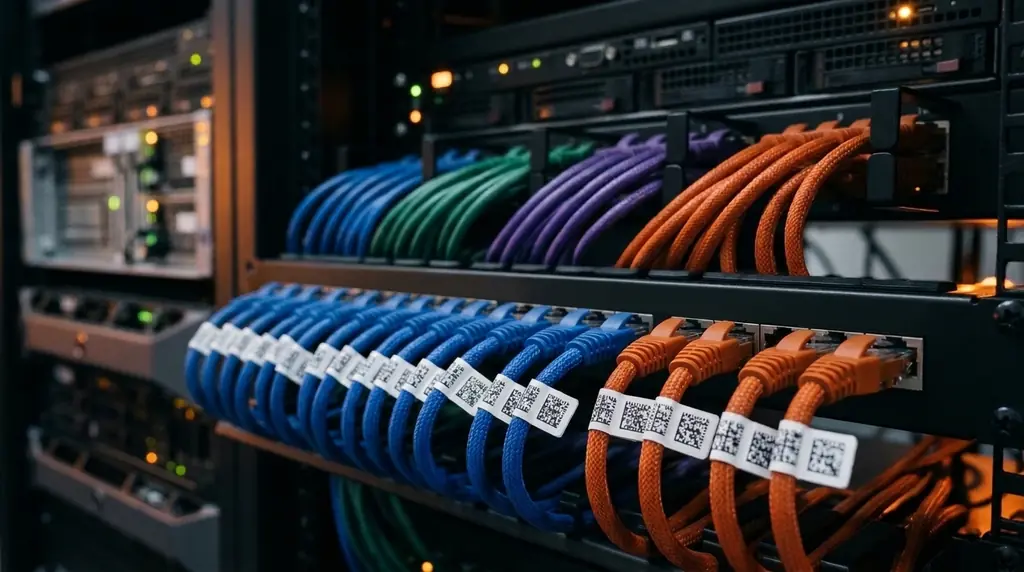
Patch panel with color-coded patch cords, each with a QR label

Change sets & audit log

Plan the work. Review it. Then make it real.

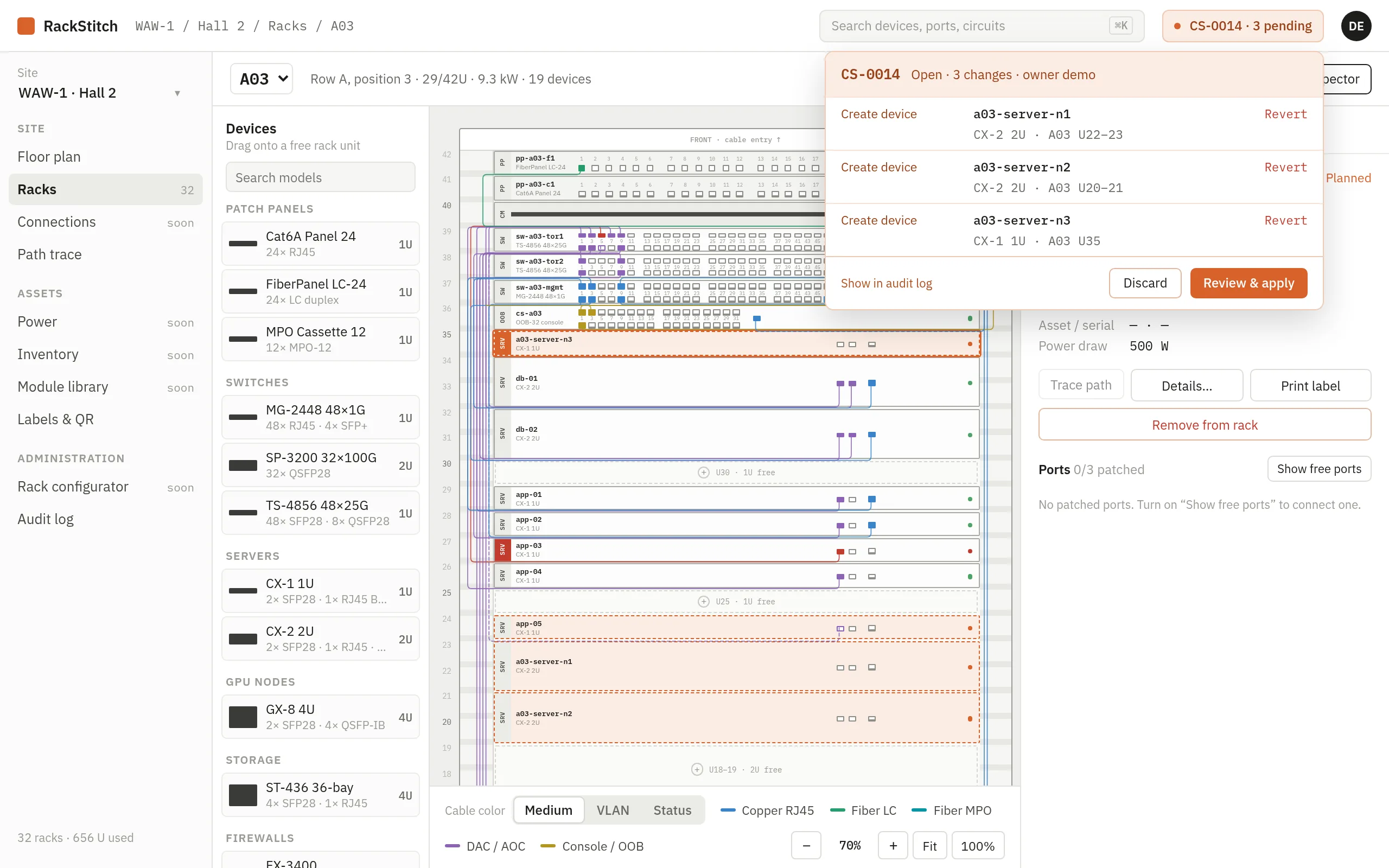
New devices, moves and cables go into a change set as planned work, drawn dashed in the rack. When the job is done, an admin reviews and applies the set — or discards it and everything rolls back. Every step lands in the audit log.

  • Planned → applied, with a clear owner for every change set
  • Revert a single item without throwing away the whole plan
  • Full history: who changed what, when, and in which change set
  • Descriptive edits such as rack notes save instantly and are logged too
Open change set with three planned devices, shown dashed in the rack, with Discard and Review & apply buttons

Labels & QR

Stick a QR code on it. Scan it with any phone.

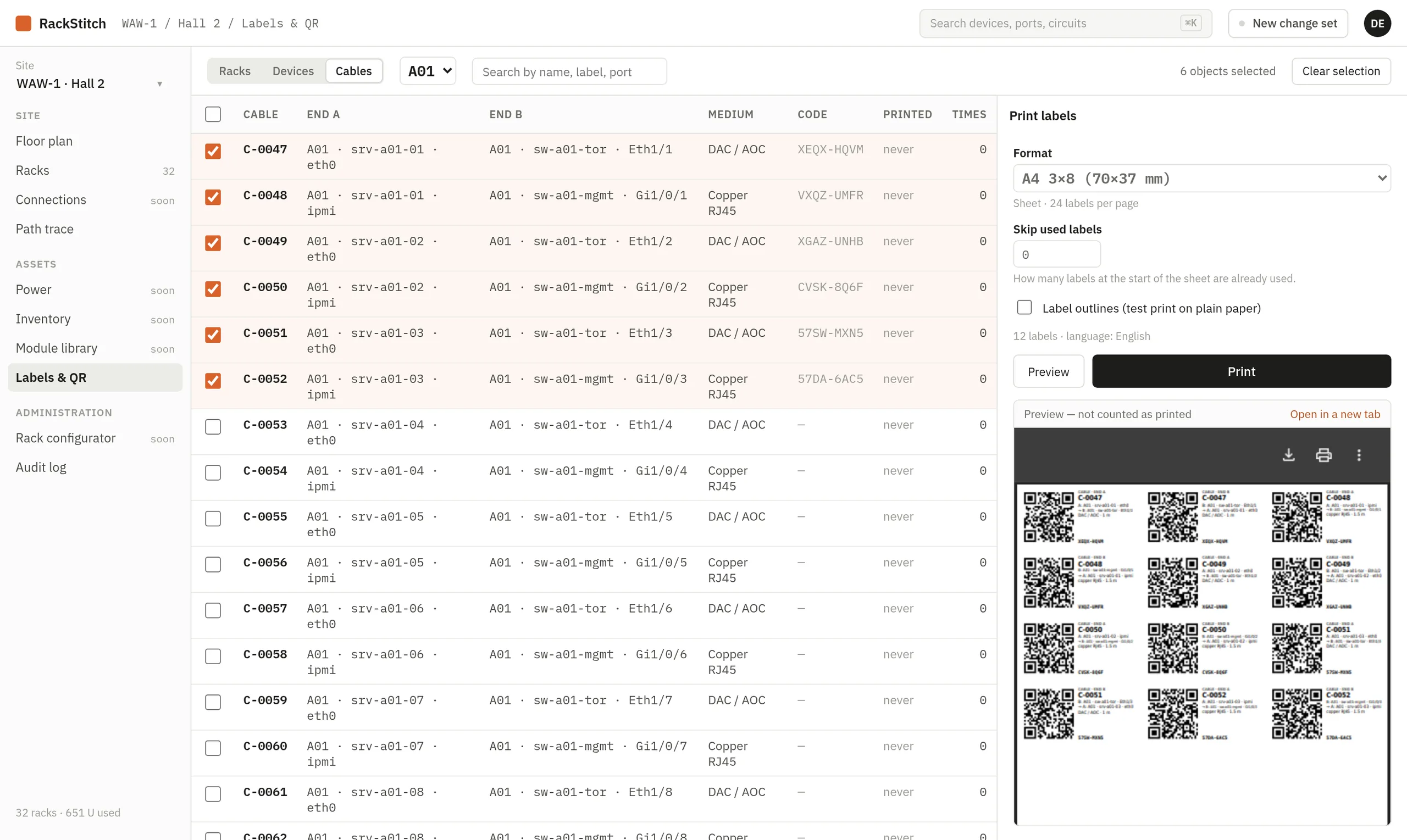
Print labels for racks, devices and both ends of every cable — on A4 sheets or label tape. Scan one in the aisle and the phone shows a clean, readable page: which rack, which unit, which port, and where the other end is.

  • Rack, device and cable labels with short codes that never change
  • Both cable ends labelled, each showing the far end
  • Preview before printing; reprints are counted
  • Mobile pages in the technician’s language
Labels & QR screen with six cables selected and a PDF preview of the QR labels
Phone view after scanning a cable label: cable C-0023, fiber LC, with end A in rack A03 on patch panel port 1

Power & cooling

From the switchboard to the PSU — and what happens if feed A fails

Rolling out during early access

Document the full power chain: switchboard, circuit (breaker, phase, current), PDU, outlet and device PSU. Add your feeds, UPS units, generators and transfer switches, plus the cooling that removes the heat. Then ask the real questions.

  • Feed failure analysis: what goes dark if feed A or a single circuit drops
  • Headroom per phase, per PDU and per rack against allocated power
  • UPS autonomy and redundancy (N, N+1, 2N), generator fuel and runtime
  • Cooling capacity and redundancy against the heat load in the room
Row of UPS cabinets in a power room
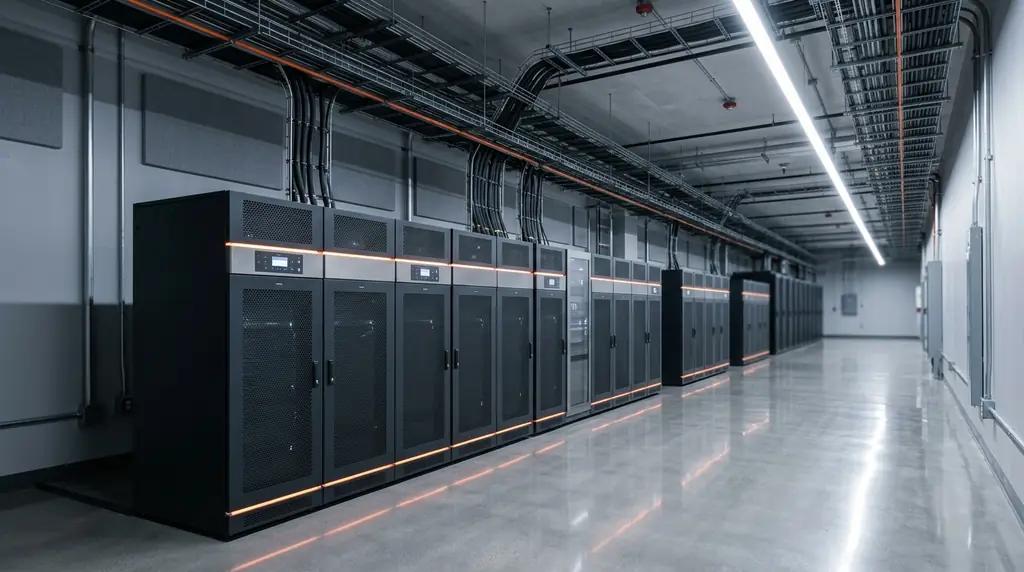
Server racks with precision cooling and overhead cable trays

Screenshots of the RackStitch app with sample data.

Technician in a server room scanning a QR label on a cable with a tablet

On site

Built for the aisle, not just the office

Inventory day, a 2 a.m. outage or a new server arriving: the technician in front of the rack sees the same truth as the manager planning the next quarter.

And everything around it

The details that make documentation stick

  • Inventory, warranties and service

    Rolling out during early access

    Asset tags, serial numbers, suppliers and invoices. Warranty and maintenance reminders, spare parts and equipment kept outside racks.

  • Import from Excel

    Bring your existing spreadsheet (Excel or CSV). We help map the columns so nothing has to be typed twice.

  • Many clients, one login

    Service companies keep each client in its own organization with separate data and permissions, and switch between them in a click.

  • Roles that match real work

    Viewers read, editors plan changes, admins apply them and manage the library, owners manage access.

  • Multilingual by design

    English and Polish today. Each user picks a language; labels and mobile pages follow it. New languages need no code changes.

  • Device model library

    Reusable templates with height, depth, power, airflow and the exact port layout front and rear. Your own models next to the shared ones.

Security & compliance

Your infrastructure map is sensitive. We treat it that way.

A server room map tells an attacker exactly where to look. RackStitch is built around keeping each client’s data separate and every change accountable.

  • Strict data separation

    Every record belongs to one organization. Isolation is enforced in one place on the server and checked by automated tests for every endpoint.

  • Hosted in the EU

    The service runs on infrastructure in the European Union and is operated by Kynologic Sp. z o.o., a company based in Poland.

  • Roles and accountability

    Four roles per organization, and an audit log that records who did what and when — including applied and discarded change sets.

  • Supports NIS2 / KSC documentation

    Helps you keep the asset inventory, change history and physical infrastructure records expected under NIS2 and Poland’s national cybersecurity act (KSC).

RackStitch supports your documentation duties; it does not by itself make an organization compliant, and it is not a certification.

Getting started

From spreadsheet to scannable server room

No big-bang migration. We start with what you already have and leave you with a room that is labelled and documented.

  1. Import what you have

    Send us your rack and cable spreadsheet. We map it into RackStitch together — racks, devices, ports and connections.

  2. Walk the room with labels

    Print QR labels, check each rack on site and fix whatever the spreadsheet got wrong. The change log shows what was corrected.

  3. Train the team, then hand over

    A short session for technicians and admins: change sets, tracing, labels. After that, the documentation stays current on its own.

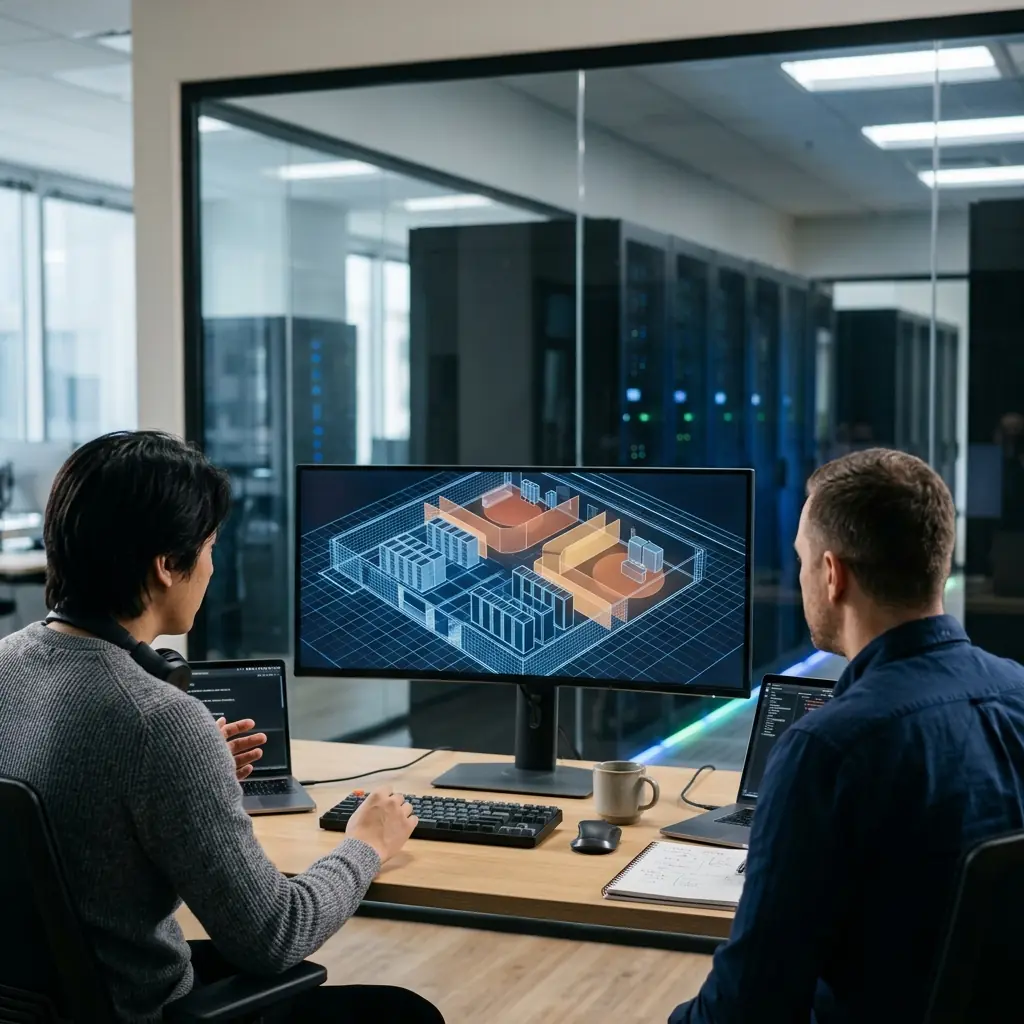
Two IT engineers reviewing a server room plan on a monitor

FAQ

Questions we hear often

How much does RackStitch cost?

Pricing is not final yet. During early access we agree terms individually, based on the size of your rooms and how many clients you manage. Ask us for a quote.

Do we have to throw away our spreadsheets?

No. Import them (Excel or CSV) as a starting point. Most teams keep the spreadsheet for a few weeks, then stop opening it.

Does RackStitch read live data from PDUs and sensors?

Not yet. Today you document the design: allocated power, nameplate draw, feeds and cooling capacity. Live PDU and temperature readings are on the roadmap.

Which label printers are supported?

Labels come out as PDF files, so any printer works: A4 sheets (for example 3×8 labels of 70×37 mm) or tape and roll formats. Tell us your printer and we will match the format.

Does a technician need an account to scan a QR code?

Yes. The QR code only holds a short link; the details appear after signing in, so your layout is never public.

We maintain server rooms for several clients. Does that work?

That is exactly the case RackStitch was built for: one organization per client, separate data and roles, and a quick switch between them.

Can we run it on our own servers?

RackStitch is a hosted service in the EU. If your policy requires a dedicated or on-premises instance, tell us during the demo and we will discuss it.

What languages does the app support?

English and Polish today, with each user choosing their own. Adding a language does not require changes to the application, so ask if you need another one.
Server room aisle with neatly bundled, color-coded network cables

Early access

See your own server room in RackStitch

Book a 30-minute demo. Bring a rack, a spreadsheet or just a question — we will show you how it would look with your data.

Prefer to explore on your own?

Try the live demo

Sample data, restored every 24 hours.

Sending opens your email app with a ready message to hello@rackstitch.com. We use your details only to reply to this request.