Cable documentation · Patch panels
Cable management software that traces every patch panel hop
Document each patch cord, trunk and patch panel port in your server room, then follow any connection end to end in one click: through the front and rear of every patch panel and across racks.
Where does this cable go?
It is the most common question in any server room, and usually the hardest to answer. A server port is patched to a panel, the panel is wired at the back to a trunk, the trunk lands on another panel two racks away, and from there a second patch cord goes to the switch. A spreadsheet can list each of those cables, but it cannot follow them. So during a maintenance window someone pulls on a cord to see where it moves.
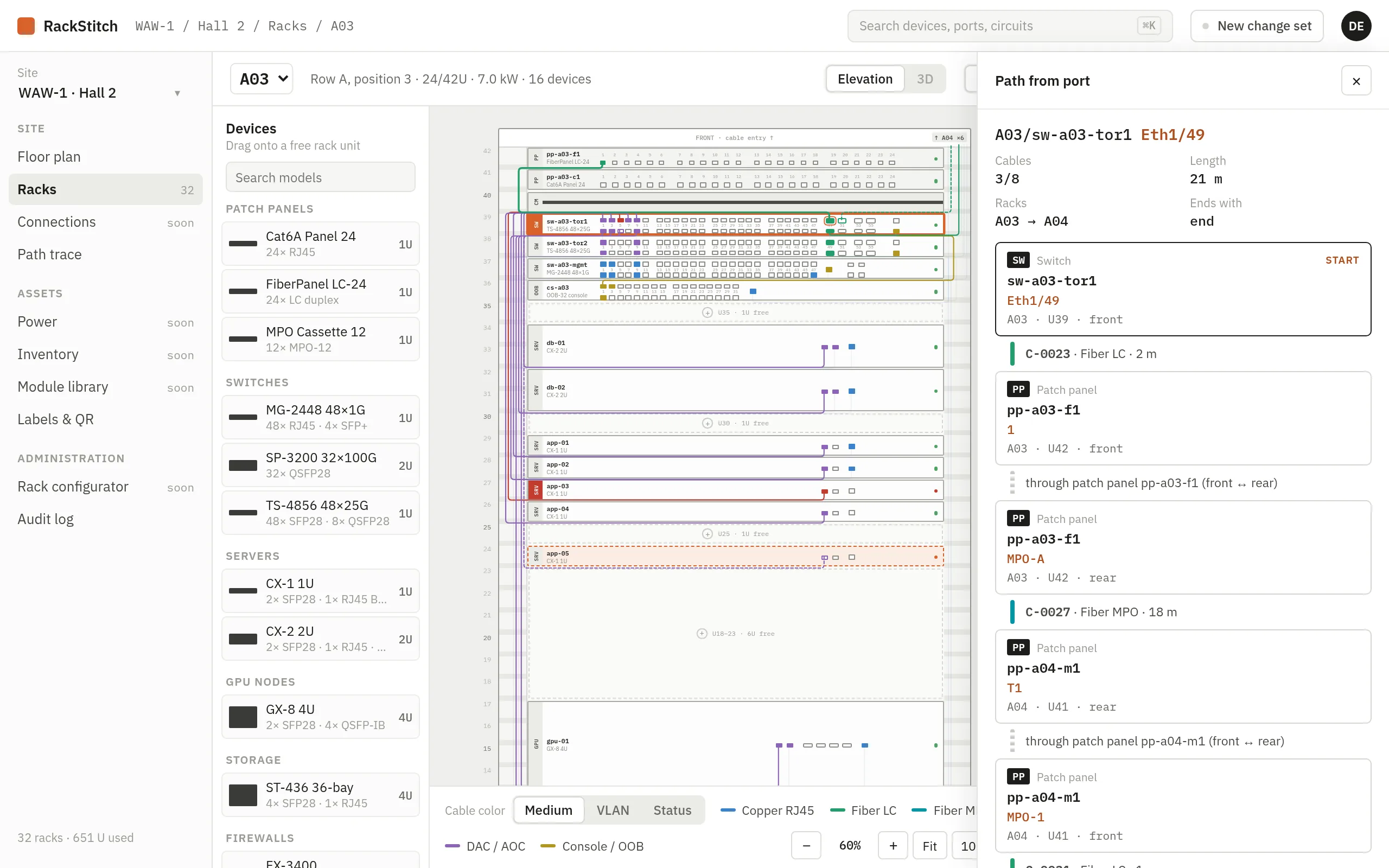
RackStitch stores every connection as a record with two ends, and knows how each patch panel connects its front ports to its rear ports. That is enough to follow a signal path from any port to the far end, automatically and in one click.
Patch panels documented front and rear
Patch panels are modeled the way they are built. In the model library, each panel model has its front and rear ports and an explicit front-to-rear mapping, so port 12 at the front is known to be port 12 (or a fiber pair, or an MPO position) at the back. Cables are recorded with their medium: copper, fiber, MPO, DAC or out-of-band management, plus VLAN, length, status and label.
Because the mapping is explicit, tracing never relies on guesswork such as “same number on the other side”. If a panel is not mapped yet, the trace says so instead of inventing a path.
Path trace, hop by hop
Pick a rack, a device and a port, and RackStitch follows the cable: port, cable, patch panel front, patch panel rear, cable, and so on until the far end. The result lists every hop with its rack and port, the total cable length, the number of cables and the racks along the way.
- Loops, dead ends, free ports and ambiguous branches are flagged, not hidden.
- Any hop opens in its rack elevation with one click.
- “Show on plan” highlights and numbers the racks along the path on the floor plan.
- A trace can start from either end of a cable, from the port table or from the cable list.
A cable list you can filter and export
All connections are also available as a list: both ends with rack, device and port, medium, VLAN, length, status and label. Filter by rack, device, status or VLAN, search, sort, and export the result to CSV when you need it in a report or a ticket.
New connections are added with a wizard: choose rack, device and a free port for end A, then the same for end B, and the medium is suggested from the ports. In the rack view you can also start from a port and pick “Connect this port”.
Changes reviewed before they count
Re-patching is where documentation usually breaks. In RackStitch, new and removed cables go into a change set first. Planned cables are drawn dashed in the rack, the technician does the work, and an administrator reviews and applies the change set, or discards it. Single items can be reverted without throwing away the whole plan, and the audit log records who planned, applied or discarded each change.
Labels on both ends
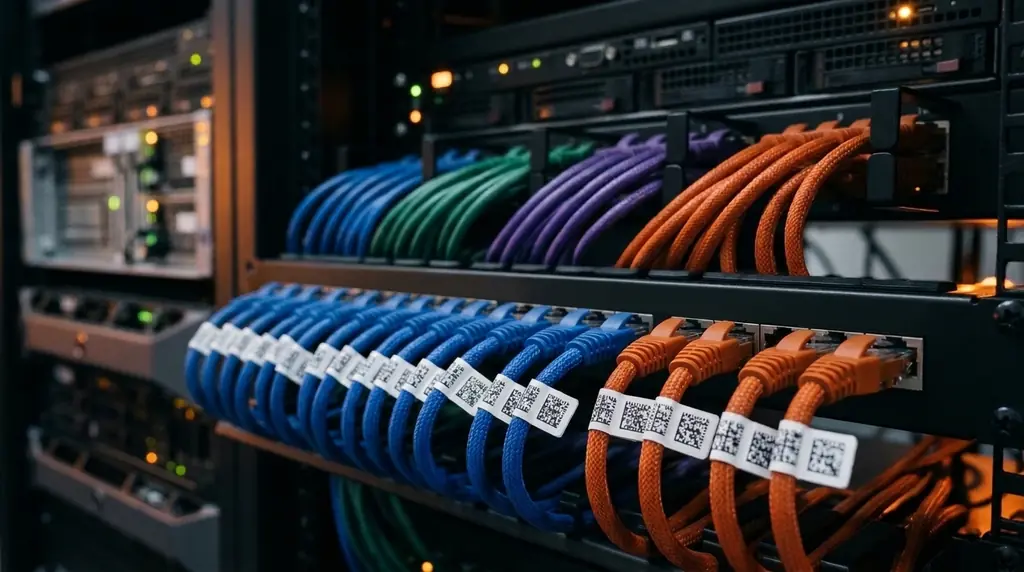
Documentation is only useful if people can find it in the aisle. RackStitch prints QR labels for both ends of every cable, each showing where the other end is. Scanning one opens the cable on a phone, with both ends, medium, VLAN and length. You can try tracing in the live demo with sample data.
Demo
See your own server room in RackStitch
Write to us and we will answer your questions and help you get started. Prefer to look on your own? The live demo is open to everyone.
Sample data, restored every 24 hours. See pricing